
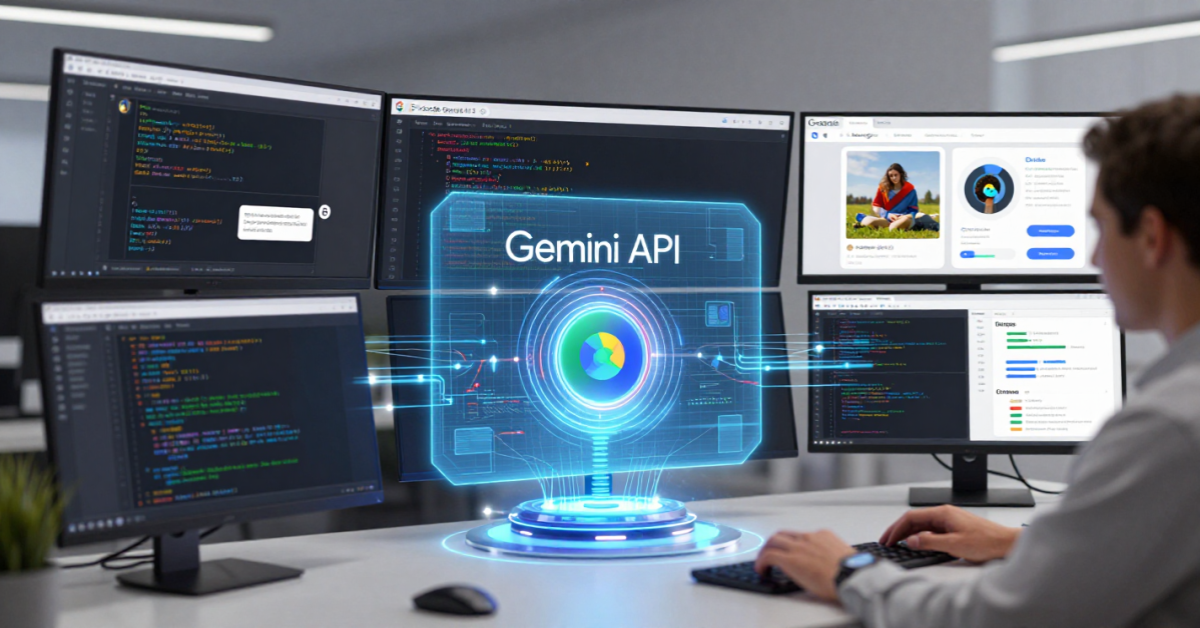
Artificial intelligence development has become significantly easier over the last few years, and the Gemini API is one of the biggest reasons behind this transformation. Whether you are a developer, designer, startup founder, student, or technology enthusiast, Gemini API provides access to Google’s latest AI models that can understand text, images, audio, video, and code through a single platform.
In this guide, you’ll learn what Gemini API is, how it works, how to get started, and how developers are using it to build intelligent applications in 2026.
Table of Contents
What Is Gemini API?
Gemini API is Google’s developer platform that allows applications to access Gemini AI models programmatically.
Instead of interacting with Gemini through a chatbot interface, developers can integrate Gemini directly into their websites, mobile apps, SaaS products, automation workflows, and enterprise systems.
Using Gemini API, applications can:
- Generate content
- Answer questions
- Summarize documents
- Analyze images
- Process videos
- Understand audio
- Generate code
- Build AI agents
The API is available through:
- Google AI Studio
- Gemini Developer API
- Gemini Enterprise Agent Platform
- Vertex AI for enterprise deployments
Why Gemini API Matters in 2026
Modern applications increasingly rely on AI capabilities.
Businesses now expect software to:
- Understand user intent
- Generate content automatically
- Provide intelligent recommendations
- Automate repetitive tasks
- Analyze large datasets
Gemini API enables developers to add these capabilities without building AI models from scratch.
Some major advantages include:
| Feature | Benefit |
|---|---|
| Multimodal AI | Handles text, images, audio and video |
| Long context windows | Processes large documents |
| Fast integration | Few lines of code required |
| Google ecosystem | Works naturally with Google tools |
| Enterprise scalability | Suitable for startups and enterprises |
Key Features of Gemini API
1. Multimodal Understanding
Unlike traditional APIs that focus only on text, Gemini can understand multiple types of inputs.
Examples:
- Upload an image and ask questions
- Analyze charts and diagrams
- Extract insights from PDFs
- Understand videos
- Process voice recordings
2. Large Context Windows
Gemini models can analyze extremely large amounts of information simultaneously.
This is particularly useful for:
- Research reports
- Legal documents
- Technical documentation
- Product specifications
This capability also powers tools such as Google’s NotebookLM.
3. Code Generation
Developers use Gemini API to:
- Generate code snippets
- Explain code
- Debug applications
- Create documentation
- Build coding assistants
Frontend developers working with Angular, JavaScript, CSS, and design systems can significantly accelerate development workflows.
4. Function Calling
Gemini API can interact with external tools and systems.
Examples include:
- Checking weather
- Accessing databases
- Retrieving customer information
- Triggering workflows
This capability forms the foundation of AI agents.
5. Structured Output
Applications often need data in predictable formats.
Gemini API can return:
- JSON
- Tables
- Lists
- Structured records
This makes integration easier for production applications.
Gemini API Models Explained
Google continues to expand the Gemini model family.
| Model Type | Best For |
|---|---|
| Gemini Flash | Fast responses and low-cost applications |
| Gemini Pro | General-purpose AI workloads |
| Gemini Thinking Models | Advanced reasoning tasks |
| Enterprise Models | Large-scale business applications |
Choosing the right model depends on your specific use case, budget, and performance requirements.
Gemini API vs OpenAI API
Many developers compare Google’s offering with OpenAI.
| Feature | Gemini API | OpenAI API |
|---|---|---|
| Multimodal Support | Excellent | Excellent |
| Google Ecosystem Integration | Strong | Limited |
| AI Studio Access | Yes | No |
| Workspace Integration | Native | Third-party |
| Enterprise Integration | Strong | Strong |
| Developer Experience | Beginner-friendly | Beginner-friendly |
For organizations already using Google Workspace, Gemini often provides a more seamless workflow.
How to Get Started with Gemini API
Step 1: Create a Google Account
You need a Google account to access Gemini development tools.
Step 2: Open Google AI Studio
Google AI Studio provides a beginner-friendly environment for testing prompts and generating API keys.
Step 3: Generate an API Key
Create a secure API key that allows your application to communicate with Gemini models.
Step 4: Install SDK
Google provides SDKs for popular languages including:
- Python
- JavaScript
- Node.js
- Go
Step 5: Make Your First Request
After configuration, your application can begin sending prompts to Gemini.
Creating Your First Gemini API Project
Let’s imagine a simple AI-powered blog assistant.
The workflow could look like this:
- User enters a topic.
- Gemini generates an outline.
- Gemini creates article drafts.
- Application formats content.
- User reviews and publishes.
This type of workflow can be implemented in just a few hours using Gemini API.
Gemini API Code Examples
Python Example
from google import genai

client = genai.Client(api_key="YOUR_API_KEY")

response = client.models.generate_content(
    model="gemini-2.5-flash",
    contents="Explain artificial intelligence in simple terms."
)

print(response.text)
JavaScript Example
import { GoogleGenAI } from "@google/genai";

const ai = new GoogleGenAI({
  apiKey: process.env.GEMINI_API_KEY,
});

const response = await ai.models.generateContent({
  model: "gemini-2.5-flash",
  contents: "What is machine learning?"
});

console.log(response.text);
These examples demonstrate how quickly developers can begin experimenting.
Real-World Gemini API Use Cases
Customer Support Bots
Businesses build intelligent support systems that:
- Answer FAQs
- Handle common requests
- Escalate complex issues
Content Creation Tools
Content platforms use Gemini to:
- Generate articles
- Create social media posts
- Write product descriptions
- Produce summaries
Research Assistants
Researchers use Gemini to:
- Analyze documents
- Summarize findings
- Extract insights
- Compare information sources
Software Development
Developers integrate Gemini into:
- Code editors
- Documentation systems
- Debugging tools
- Internal knowledge bases
Gemini API Pricing Overview
Google offers multiple pricing tiers depending on:
- Model selection
- Input tokens
- Output tokens
- Context size
- Usage volume
For many developers, Gemini Flash models provide an affordable starting point.
Before launching commercial applications, always review the latest pricing documentation because pricing can evolve as new models are released.
Best Practices for Developers
Start Small
- Begin with simple use cases before building complex AI systems.
Use Prompt Engineering
- Well-structured prompts generally produce better results.
Validate Outputs
- Never assume AI responses are always accurate.
Monitor Costs
- Track token usage regularly.
Protect Sensitive Data
- Avoid sending confidential information without proper compliance reviews.
Implement Human Oversight
- Keep humans involved for important business decisions.
Advantages and Limitations
Advantages
- Easy onboarding
- Powerful multimodal capabilities
- Strong Google ecosystem integration
- Long context windows
- Scalable infrastructure
- Enterprise-ready
Limitations
- Requires prompt optimization
- Costs can increase with scale
- Responses may occasionally contain inaccuracies
- Rapid model updates require continuous monitoring
Future of Gemini API
The future of Gemini API appears closely tied to Google’s broader AI ecosystem.
We are already seeing deeper integration with:
- Gemini
- Google Workspace AI
- NotebookLM
- Google AI Studio
- Gemini Enterprise Agent Platform
Over the next few years, developers can expect:
- More capable AI agents
- Improved reasoning
- Better multimodal understanding
- Larger context windows
- Stronger enterprise automation
As AI moves from experimentation to production deployment, APIs like Gemini will become a core component of modern software development.
Final Thoughts
The Gemini API has become one of the most important tools for developers building AI-powered applications in 2026. With multimodal capabilities, enterprise scalability, strong Google ecosystem integration, and beginner-friendly development tools, it offers a practical path for creating intelligent software without requiring deep AI expertise.
Whether you’re building a chatbot, content platform, research assistant, educational application, or AI-powered business workflow, the Gemini API provides the foundation needed to turn ideas into real-world AI solutions.
Key Takeaways
- Gemini API gives developers access to Google’s advanced AI models.
- It supports text, images, audio, video, and code.
- Integration starts through Google AI Studio.
- Developers can build chatbots, content tools, research assistants, and AI agents.
- Gemini integrates naturally with Google’s AI ecosystem.
- Long context windows make it suitable for large-document analysis.
- Enterprise adoption continues to grow in 2026.
FAQs
1. What is Gemini API?
Gemini API is Google’s developer interface that allows applications to access Gemini AI models programmatically.
2. Is Gemini API free?
Google provides free usage tiers for experimentation, while production workloads generally require paid plans.
3. Can beginners use Gemini API?
Yes. Google AI Studio makes it easy for beginners to generate API keys and test prompts.
4. What programming languages support Gemini API?
Popular languages include Python, JavaScript, Node.js, Go, and others.
5. Is Gemini API good for startups?
Yes. It allows startups to add advanced AI capabilities without building their own AI models.
6. What can I build with Gemini API?
You can build chatbots, AI assistants, content generation tools, educational platforms, research assistants, coding tools, and business automation systems.
Author Bio

Amit Gupta is a UI/UX Designer and Frontend Specialist with more than 20 years of experience in product design, design systems, Angular development, frontend architecture, and emerging technologies. Through AmitGuptaBlogs.com, he shares practical insights on AI, Google technologies, design workflows, development tools, and future technology trends.