
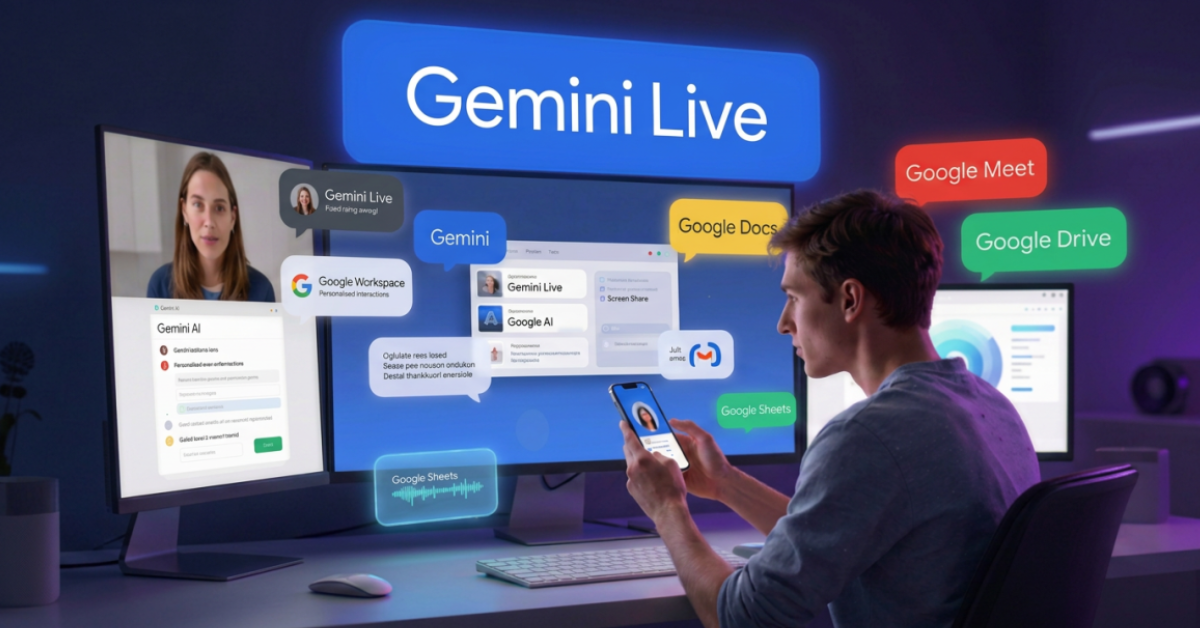
Artificial intelligence assistants have evolved far beyond simple text-based chatbots. One of Google’s most significant innovations in this space is Gemini Live, a real-time conversational AI experience designed to make interactions feel more natural, contextual, and useful.
Unlike traditional AI chat interfaces where users type prompts and wait for responses, Gemini Live enables fluid voice conversations, contextual assistance, screen sharing, and camera-based interactions that feel closer to talking with a knowledgeable assistant than using a search engine.
For developers, designers, creators, students, and professionals, Gemini Live represents an important step toward AI becoming a true daily companion rather than just a question-answering tool.
In this guide, we’ll explore how Gemini Live works, what makes it different, practical use cases, and how I would personally use it as a designer and frontend specialist.
Table of Contents
What Is Gemini Live?
Gemini Live is Google’s real-time conversational AI mode within the Gemini app.
It allows users to:
- Speak naturally with AI
- Maintain continuous conversations
- Share screens for contextual help
- Use the camera for visual understanding
- Receive spoken responses
- Ask follow-up questions naturally
Instead of repeatedly typing prompts, users can interact with Gemini much like they would with another person. Google describes Gemini Live as a way to brainstorm ideas, organize thoughts, and receive contextual assistance through natural conversations.
How Gemini Live Works
At its core, Gemini Live combines:
- Voice recognition
- Real-time speech generation
- Context retention
- Multimodal understanding
- Gemini AI models
The process is simple:
- Launch Gemini Live.
- Start speaking naturally.
- Continue the conversation without restarting prompts.
- Share your screen or camera if needed.
- Receive spoken responses instantly.
Recent updates have improved conversation flow, reduced latency, and increased contextual memory, making interactions significantly more natural.
Key Features of Gemini Live
1. Natural Voice Conversations
The most obvious feature is real-time voice interaction.
Instead of:
Type → Wait → Read
You can:
Speak → Listen → Continue
This creates a much more fluid experience.
2. Context-Aware Conversations
Gemini Live can remember earlier parts of the discussion and maintain continuity throughout the session.
This reduces the need to repeat information repeatedly. Recent improvements have significantly expanded conversational context handling.
3. Screen Sharing Assistance
One of the most useful additions is screen sharing.
You can show Gemini:
- A website
- An application
- A dashboard
- A document
- A spreadsheet
And ask questions about what is currently visible.
For example:
“Why is this chart showing a decline?”
or
“Explain this error message.”
Google has expanded screen sharing support within Gemini Live across supported devices.
4. Camera-Based Understanding
Gemini Live can use your phone camera to understand the surrounding environment.
Examples include:
- Identifying objects
- Understanding products
- Helping with setup instructions
- Providing contextual recommendations
This effectively gives Gemini “eyes” in addition to conversational abilities.
5. Multimodal Interactions
Gemini Live supports combinations of:
- Voice
- Text
- Images
- Camera input
- Shared screens
- Files
This makes it significantly more versatile than traditional chat-only assistants. Developers experimenting with multimodal AI can also explore Google AI Studio for testing Gemini models and prototypes.
Gemini Live vs Traditional AI Chatbots
| Feature | Gemini Live | Traditional Chatbot |
|---|---|---|
| Voice Conversation | Yes | Usually Limited |
| Real-Time Interaction | Yes | Partial |
| Screen Sharing | Yes | Rare |
| Camera Understanding | Yes | Limited |
| Continuous Context | Strong | Moderate |
| Spoken Responses | Yes | Usually Text |
| Natural Dialogue | High | Medium |
The biggest difference is that Gemini Live feels more like a conversation and less like submitting prompts to a machine.
Real-World Use Cases
For Students
Students can:
- Practice interviews
- Learn new concepts
- Discuss homework topics
- Prepare presentations
- Improve language skills
The conversational format often feels less intimidating than reading lengthy explanations.
For Professionals
Professionals can use Gemini Live for:
- Meeting preparation
- Brainstorming sessions
- Decision-making discussions
- Presentation practice
- Productivity planning
For Business Users
Businesses can leverage Gemini Live for:
- Workflow analysis
- Process improvement discussions
- Customer interaction simulations
- Training scenarios
Gemini Live for Developers
This is where Gemini Live becomes particularly interesting.
As someone with a frontend and Angular background, I see several practical applications.
Debugging Discussions
Instead of typing:
“Explain this error.”
You can simply share your screen and ask:
“Why is Angular throwing this exception?”
Gemini can review what’s visible and provide contextual guidance.
Architecture Brainstorming
Developers can discuss:
- Component structures
- Design patterns
- API integrations
- State management
through natural conversations.
Learning New Technologies
A conversational approach often accelerates learning because follow-up questions happen instantly.
Gemini Live for Designers
Designers can use Gemini Live in unique ways.
UX Reviews
Share a design and ask:
- Is the hierarchy clear?
- Does this screen have accessibility concerns?
- What could improve usability?
Design Critiques
Gemini can act as an instant review partner when stakeholders are unavailable.
Content Validation
Review:
- UI copy
- CTA wording
- Information architecture
- User flows
through live discussions.
Gemini Live for Creators
Creators can benefit significantly from conversational AI. For long-form research and knowledge synthesis, tools like NotebookLM can complement Gemini Live workflows.
Content Brainstorming
Discuss:
- Blog topics
- YouTube ideas
- Podcast outlines
- Social media concepts
without interrupting creative flow.
Script Development
Creators can talk through concepts and refine messaging interactively.
Research Assistance
Rather than opening multiple tabs, creators can explore ideas conversationally and identify areas requiring deeper research.
Practical Workflow Example
How I Would Use Gemini Live
Suppose I’m writing an article for AmitGuptaBlogs.com. Research notes could first be organized inside NotebookLM, followed by brainstorming through Gemini Live.
My workflow could look like this:
Step 1
Research a topic.
Step 2
Open Gemini Live.
Step 3
Discuss:
- Key concepts
- Audience concerns
- Frequently asked questions
Step 4
Generate an article outline.
Step 5
Use Gemini Live to identify gaps.
Step 6
Write the article manually with personal insights.
This keeps human expertise at the center while using AI as a productivity multiplier.
Benefits and Limitations
Benefits
Faster Interactions
Voice is often faster than typing.
More Natural Conversations
Interactions feel human and fluid.
Better Context
Longer discussions maintain continuity.
Multimodal Intelligence
Camera and screen understanding add significant value.
Productivity Gains
Less friction means faster problem solving.
Limitations
Requires Clear Communication
Poorly explained requests can still produce weak results.
Privacy Considerations
Users should be cautious when sharing screens or camera feeds containing sensitive information.
Device Compatibility
Some advanced features may vary based on platform and availability.
Not Always Perfect
AI can still misunderstand context or provide inaccurate information.
Human judgment remains essential.
Common Mistakes to Avoid
Treating Gemini Like Search
Gemini Live performs best as a conversation rather than a search engine replacement.
Sharing Sensitive Information
Avoid displaying:
- Passwords
- Financial information
- Personal records
- Confidential business documents
during screen sharing sessions.
Accepting Every Suggestion
Always verify important recommendations.
Ignoring Follow-Up Questions
The real strength of Gemini Live is iterative discussion.
Use follow-ups extensively.
Future of Gemini Live
The direction is clear. Google is moving toward AI assistants that:
- Understand context
- Operate across devices
- Interact visually
- Assist proactively
Recent announcements indicate continued investment in more agentic experiences and deeper integration across the Google ecosystem.
As Gemini continues replacing traditional assistant experiences across Android, Gemini Live is likely to become a central interaction model for many users.
Conclusion
Gemini Live represents one of the most significant shifts in how people interact with AI.
Instead of typing isolated prompts into a chatbot, users can hold natural conversations, share screens, use cameras for visual understanding, and receive contextual assistance in real time.
For developers, designers, creators, students, and business professionals, Gemini Live is not just another AI feature—it is a glimpse into how digital assistants will increasingly work in the coming years.
If Google’s broader AI strategy continues at its current pace, Gemini Live may become one of the primary ways users interact with AI across phones, computers, and productivity workflows. When combined with Gemini for Google Workspace, Gemini Live creates an even more powerful productivity ecosystem.
Key Takeaways
- Gemini Live is Google’s real-time conversational AI experience.
- It supports voice conversations, screen sharing, and camera assistance.
- Conversations are more natural than traditional chatbot interactions.
- Developers can use it for debugging and architecture discussions.
- Designers can leverage it for UX reviews and design critiques.
- Creators can use it for brainstorming and content planning.
- Context retention has improved significantly in recent updates.
- Privacy awareness remains important when sharing screens and cameras.
- Gemini Live is becoming a central part of Google’s AI ecosystem.
FAQs
1. Is Gemini Live free to use?
Gemini Live is available within the Gemini app, though feature availability and usage limits may vary depending on subscription tier and region.
2. Can Gemini Live see my screen?
Yes. Gemini Live supports screen sharing, allowing it to provide contextual assistance based on visible content.
3. Can Gemini Live use my phone camera?
Yes. Camera sharing enables Gemini to understand objects and surroundings in real time.
4. Is Gemini Live available on iPhone?
Google has expanded Gemini Live capabilities, including screen and camera sharing, to iOS devices.
5. Is Gemini Live useful for developers?
Yes. Developers can use it for debugging discussions, architecture brainstorming, learning, and contextual problem-solving.
6. How is Gemini Live different from ChatGPT-style chatbots?
Gemini Live focuses on real-time voice interaction, contextual conversations, screen sharing, and camera-based assistance rather than text-only exchanges.
References
- Gemini Live Overview
- Gemini Live Camera & Screen Sharing
- Gemini Mobile App Guide
- Android Gemini Live Features
- Google AI Subscriptions
- Google AI Pro & Ultra Plans
- Gemini App Evolution
- Gemini March 2026 Updates
Author Bio

Amit Gupta is a UI/UX Designer and Frontend Specialist with more than 20 years of experience in product design, design systems, Angular development, frontend architecture, and emerging technologies. Through AmitGuptaBlogs.com, he shares practical insights on AI, Google technologies, design workflows, development tools, and future technology trends.