
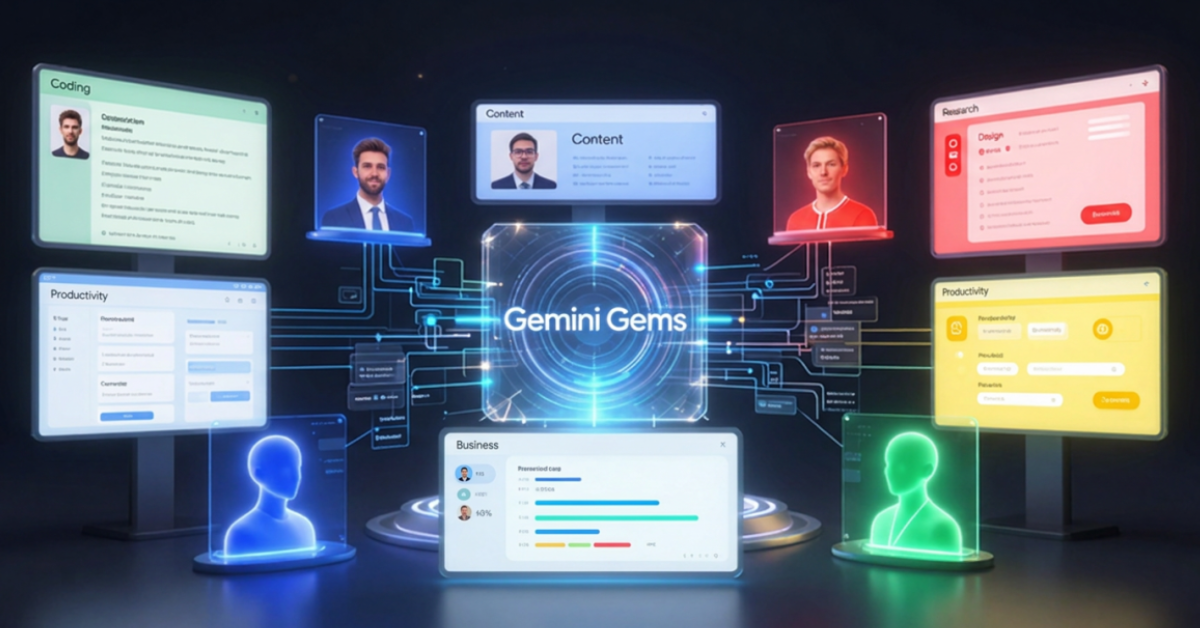
Gemini Gems are one of the most practical productivity features available inside Google Gemini today. Instead of explaining the same requirements to AI repeatedly, you can create specialized AI experts that remember your instructions, preferred workflow, tone, and objectives. Google describes Gems as custom AI experts built on top of Gemini that can be tailored for coding, brainstorming, writing, research, and virtually any repeatable task.
If you regularly use AI for work, content creation, software development, research, or business operations, Gemini Gems can save significant time while improving consistency.
In this guide, you’ll learn exactly what Gemini Gems are, how they work, and how to use them effectively in 2026.
Table of Contents
What Are Gemini Gems?
Gemini Gems are customized versions of Gemini that follow a predefined set of instructions every time you interact with them.
Think of a Gem as a specialized AI employee that has already been trained on your preferences.
For example:
- A content strategist Gem
- A coding mentor Gem
- A UX review Gem
- A research assistant Gem
- A marketing advisor Gem
Instead of writing a long prompt whenever you start a new conversation, you simply launch the appropriate Gem and begin working. Google introduced Gems specifically to help users save detailed instructions for recurring tasks and create personalized AI experts.
Why Gemini Gems Matter
One of the biggest frustrations with AI tools is repetition.
A typical workflow often looks like this:
- Open Gemini
- Explain your role
- Explain your project
- Explain output format
- Explain writing style
- Explain objectives
Then repeat the same process tomorrow.
Gemini Gems eliminate this repetition. Once configured, the Gem already knows:
- Your role
- Your goals
- Preferred outputs
- Writing style
- Workflow expectations
This creates a more efficient experience and often produces more consistent results.
How Gemini Gems Work
At a high level, a Gem consists of:
| Component | Purpose |
|---|---|
| Name | Identifies the Gem |
| Instructions | Defines behavior |
| Personality | Controls tone and style |
| Knowledge Files | Optional reference material |
| Goal Definition | Clarifies objectives |
When you launch the Gem, Gemini automatically applies those instructions before generating responses.
The result feels less like chatting with a generic AI and more like working with a specialized assistant.
Gemini Gems vs Regular Gemini Chats
| Feature | Regular Gemini | Gemini Gems |
|---|---|---|
| Remembers custom role | No | Yes |
| Reusable instructions | No | Yes |
| Specialized workflows | Limited | Excellent |
| Consistency | Moderate | High |
| Productivity | Good | Much Better |
| Team sharing capability | Limited | Available in supported environments |
For occasional questions, regular Gemini works perfectly. For recurring workflows, Gems become much more valuable.
How to Create a Gemini Gem
Creating a Gem is straightforward.
Step 1: Open Gems
Inside Gemini, navigate to the Gems section.
Google provides several pre-built examples and also allows creation of custom Gems.
Step 2: Give the Gem a Clear Name
Examples:
- Angular Mentor
- UX Research Assistant
- AI Content Strategist
- Startup Advisor
- SEO Reviewer
Choose names that clearly describe the purpose.
Step 3: Define Detailed Instructions
This is the most important step.
Instead of writing:
Help me with content.
Write:
Act as a senior technology blogger focused on AI, Google AI products, and practical productivity workflows. Write in a professional educational tone. Provide actionable insights and avoid marketing language.
The more specific the instructions, the better the results.
Step 4: Upload Knowledge Sources
Depending on availability and workspace configuration, Gems can leverage uploaded reference material and supporting files.
Examples:
- Brand guidelines
- Product documentation
- Writing frameworks
- Design systems
- Company processes
This transforms a general AI assistant into a context-aware specialist.
Step 5: Test and Refine
Most successful Gems go through multiple iterations.
Ask:
- Is the tone correct?
- Is the output format useful?
- Does it understand the role?
- Is the level of detail appropriate?
Refine instructions until the responses consistently match expectations.
Practical Workflow Example
Let’s imagine you run AmitGuptaBlogs.com.
Instead of repeatedly explaining:
- AI blog
- Google AI focus
- Audience
- Writing style
- SEO requirements
You could create a dedicated Gem called:
“AI Blog Editor”
The Gem would already know:
- Primary audience
- EEAT requirements
- SEO standards
- Google AI ecosystem focus
- Preferred article structure
Every article would start from a strong baseline. This alone can save hours every week.
Gemini Gems for Developers
Developers can create Gems focused on specific technologies.
Examples:
Angular Expert Gem
Knows:
- Angular architecture
- Component design
- Performance optimization
- TypeScript best practices
API Development Gem
Specializes in:
- REST APIs
- Authentication
- Debugging
- Documentation
Code Review Gem
Reviews:
- Maintainability
- Security
- Performance
- Scalability
For developers already using the Gemini API, Google AI Studio, or Gemini CLI, Gems can become personalized workflow assistants.
Gemini Gems for Designers
This is where Gems become particularly interesting.
As a UI/UX professional, I see strong value in creating Gems that support design workflows.
Examples:
UX Research Assistant
Helps:
- Generate interview questions
- Analyze findings
- Build personas
- Create journey maps
Design System Advisor
Supports:
- Component standards
- Token structures
- Accessibility checks
- Design consistency
UX Writing Reviewer
Reviews:
- Button labels
- Error messages
- Microcopy
- User onboarding flows
Gemini Gems for Creators
Content creators often repeat the same processes.
Useful Gems include:
YouTube Script Assistant
Generates:
- Hooks
- Structure
- Talking points
- CTAs
Blog Content Editor
Reviews:
- Readability
- SEO
- Clarity
- Structure
Social Media Assistant
Creates:
- LinkedIn posts
- X threads
- Content repurposing plans
Gemini Gems for Business Teams
Businesses can use Gems for operational efficiency.
Examples include:
Customer Support Assistant
Handles:
- FAQ generation
- Response drafting
- Knowledge retrieval
Sales Assistant
Supports:
- Proposal creation
- Follow-up emails
- Objection handling
Market Research Assistant
Analyzes:
- Competitors
- Industry trends
- Customer feedback
Recent developments also show increasing integration between Gemini-powered workflows and broader productivity automation scenarios.
Common Mistakes to Avoid
1. Instructions Are Too Vague
Poor:
Help me write content.
Better:
Act as a senior AI technology blogger focused on educational content for developers and creators.
2. Trying to Do Everything in One Gem
Avoid building a “super assistant.”
Instead create:
- Writing Gem
- Research Gem
- Coding Gem
- Productivity Gem
Specialization usually produces better results.
3. Ignoring Testing
Even well-written Gems require refinement.
Review outputs and continuously improve instructions.
4. Missing Output Format Instructions
Always specify:
- Tables
- Bullet points
- Tone
- Structure
- Length expectations
Pros and Cons of Gemini Gems
Pros
- Saves time
- Consistent outputs
- Easy to create
- No coding required
- Great for repetitive workflows
- Supports personalization
Cons
- Requires thoughtful setup
- Needs occasional refinement
- Poor instructions produce poor results
- Not every task benefits from specialization
Future of Gemini Gems
Google’s broader AI strategy increasingly focuses on agents, automation, and personalized AI experiences. Recent Gemini announcements continue moving toward more capable AI assistants and agent-driven workflows.
I expect Gemini Gems to evolve in several directions:
- Better collaboration
- Richer knowledge integration
- Workflow automation
- Agent-like capabilities
- Deeper Google Workspace integration
The long-term trend is clear:
Instead of using one generic AI assistant, users will likely manage multiple specialized AI experts designed for specific roles.
Final Thoughts
Gemini Gems are one of the simplest ways to turn Google Gemini from a general-purpose chatbot into a collection of specialized AI experts.
Whether you’re a developer, designer, creator, student, or business professional, Gems can eliminate repetitive prompting and create a more efficient workflow. The biggest advantage is not intelligence alone—it is consistency. By creating well-designed Gems, you can build a personalized AI team that understands your goals from the first message.
For anyone already using Gemini regularly, Gemini Gems are worth exploring because they transform AI from a one-time assistant into a reusable productivity system.
Key Takeaways
- Gemini Gems are custom AI experts built inside Gemini.
- Gems help eliminate repetitive prompting.
- They can be tailored for coding, design, writing, research, and business tasks.
- Detailed instructions dramatically improve output quality.
- Multiple specialized Gems usually outperform one generic Gem.
- Gems fit naturally into the broader Google AI ecosystem.
- They are especially valuable for recurring workflows.
FAQs
1. What are Gemini Gems?
Gemini Gems are customized AI assistants inside Gemini that follow predefined instructions and workflows.
2. Are Gemini Gems similar to Custom GPTs?
Yes. Both allow users to create specialized AI assistants tailored to specific tasks, although they exist within different ecosystems.
3. Can Gemini Gems be used for coding?
Yes. Many developers use Gems as coding assistants, code reviewers, debugging helpers, and technology-specific mentors.
4. Do Gemini Gems require programming knowledge?
No. Gems are designed to be created using natural language instructions.
5. Can I create multiple Gems?
Yes. You can create separate Gems for writing, coding, design, research, productivity, and other workflows.
6. Are Gemini Gems useful for businesses?
Absolutely. They can support customer service, sales, content creation, research, documentation, and internal productivity workflows.
References
- Gemini Gems Overview
- Gemini Gems India Overview
- Gemini Help: Tips for Creating Custom Gems
- Google Gemini Updates Announcing Gems
- Google Gems Tips
Author Bio

Amit Gupta is a UI/UX Designer and Frontend Specialist with more than 20 years of experience in product design, design systems, Angular development, frontend architecture, and emerging technologies. Through AmitGuptaBlogs.com, he shares practical insights on AI, Google technologies, design workflows, development tools, and future technology trends.