
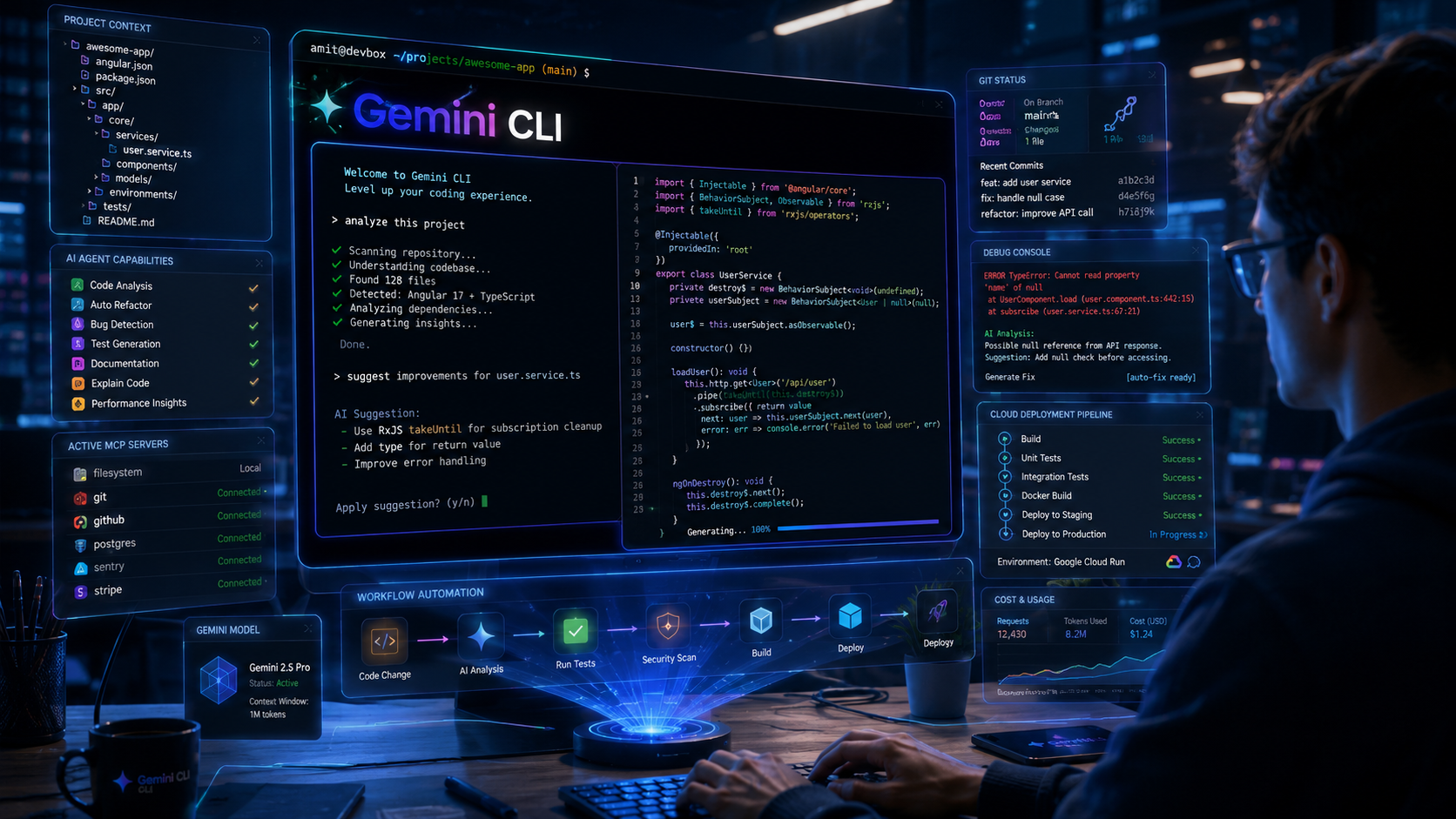
Artificial intelligence is rapidly moving beyond chat interfaces and becoming deeply integrated into software development workflows. One of the most interesting examples of this evolution is Gemini CLI, Google’s open-source AI agent designed to work directly inside the terminal.
For developers who spend a significant portion of their day in command-line environments, Gemini CLI offers a new way to interact with code, automate repetitive tasks, analyze projects, generate solutions, and integrate AI directly into existing workflows.
In this guide, we’ll explore what Gemini CLI is, how it works, where it fits into the Google AI ecosystem, and how developers can use it effectively in 2026.
Table of Contents
What is Gemini CLI?
Gemini CLI is an open-source AI agent that brings Gemini models directly into the terminal. Instead of switching between browser tabs, IDE plugins, and AI chat interfaces, developers can interact with Gemini from the command line while working on their projects.
Think of it as having an AI-powered development assistant that understands:
- Your local project structure
- Source code
- Documentation
- Terminal commands
- Development workflows
Because it operates inside the terminal, Gemini CLI can become part of existing developer workflows without forcing major process changes.
Why Gemini CLI Matters
Traditional AI assistants typically require developers to:
- Leave their coding environment.
- Open a browser or chat interface.
- Copy code snippets.
- Paste context manually.
- Return to development tools.
Gemini CLI reduces this friction by bringing AI closer to where developers already work.
This shift aligns with a broader industry trend toward agent-driven development environments where AI can:
- Analyze repositories
- Execute workflows
- Interact with tools
- Assist with debugging
- Generate documentation
- Automate repetitive development tasks
Key Features of Gemini CLI
AI-Powered Terminal Assistant
Gemini CLI allows developers to ask questions about codebases, generate code, explain functions, and troubleshoot issues directly from the command line.
Large Context Understanding
Gemini models can analyze substantial project context, making it easier to understand large repositories and complex systems.
Open Source
Google released Gemini CLI as an open-source project, allowing developers to inspect implementation details and contribute improvements.
MCP Support
Gemini CLI supports Model Context Protocol (MCP) servers, enabling connections to external tools, APIs, databases, and services.
Workflow Automation
Developers can automate multi-step workflows using natural language instructions.
How Gemini CLI Works
At a high level, Gemini CLI combines:
| Component | Purpose |
|---|---|
| Gemini Models | Reasoning and generation |
| Terminal Interface | User interaction |
| Local Project Context | Code understanding |
| Tool Integrations | Automation |
| MCP Servers | External connectivity |
The system uses an agent-style reasoning approach that can evaluate a request, determine necessary actions, execute tools, and generate responses.
Installing Gemini CLI
Installation is straightforward using npm.
npm install -g @google/gemini-cliAfter installation, developers can launch Gemini CLI and authenticate with a Google account.
Requirements
- Node.js installed
- Google account
- Internet connection
- Supported operating system
Authentication and Setup
Once installed, Gemini CLI requires authentication.
Most individual developers can sign in using a personal Google account. Enterprise environments may use organizational authentication methods depending on deployment requirements.
Typical setup flow:
- Install Gemini CLI
- Launch Gemini CLI
- Sign in with Google
- Configure preferences
- Start interacting with projects
Gemini CLI Commands and Workflows
Although usage evolves rapidly, common workflows include:
Understanding a Codebase
Example:
Explain the architecture of this projectGemini can analyze folders, dependencies, and code relationships.
Debugging
Example:
Find the root cause of this errorGemini can inspect stack traces and relevant files.
Documentation Generation
Example:
Generate API documentation for this moduleRefactoring
Example:
Refactor this Angular service to improve maintainabilityTest Generation
Example:
Generate unit tests for this componentThese workflows reduce repetitive work and allow developers to focus on higher-value tasks.
MCP Integration Explained
One of the most important capabilities of Gemini CLI is support for MCP (Model Context Protocol).
MCP acts as a standardized way for AI systems to interact with external tools and services.
With MCP, Gemini CLI can potentially connect to:
- Git repositories
- Databases
- APIs
- Internal tools
- Cloud services
- Business systems
This transforms Gemini CLI from a coding assistant into a broader AI agent platform.
Why MCP Matters
Without MCP:
AI can only reason.
With MCP:
AI can reason and act.
This distinction is becoming increasingly important in modern AI workflows.
Practical Use Cases for Developers
Angular Development
As someone working extensively with Angular, I see immediate value in:
- Component generation
- Service creation
- Refactoring suggestions
- Test generation
- SCSS optimization
Instead of manually creating boilerplate code, Gemini CLI can accelerate routine development tasks.
Legacy Code Understanding
Many organizations maintain large codebases.
Gemini CLI can help:
- Understand old modules
- Trace dependencies
- Identify technical debt
- Generate documentation
DevOps Assistance
Developers can use Gemini CLI for:
- Deployment script reviews
- CI/CD troubleshooting
- Infrastructure documentation
- Configuration analysis
API Development
Useful tasks include:
- Endpoint documentation
- Request examples
- Validation logic
- Test case generation
Gemini CLI vs Traditional AI Coding Tools
| Feature | Gemini CLI | Browser Chat AI | IDE Assistant |
|---|---|---|---|
| Terminal Native | Yes | No | No |
| Project Context | Strong | Limited | Strong |
| Workflow Automation | Strong | Moderate | Moderate |
| MCP Integration | Yes | Limited | Varies |
| Open Source | Yes | Varies | Varies |
| Local Development Focus | High | Low | High |
Gemini CLI occupies a unique position between AI chat tools and IDE-based assistants.
For Developers
Gemini CLI is particularly valuable for developers who:
- Spend significant time in terminals
- Work with large repositories
- Prefer keyboard-centric workflows
- Need automation capabilities
- Want AI integrated into existing tools
Frontend, backend, DevOps, and full-stack developers can all benefit from command-line AI workflows.
For Designers
While Gemini CLI is primarily developer-focused, technical designers can also use it for:
- Design token generation
- Documentation creation
- CSS audits
- Accessibility reviews
- Frontend component analysis
For teams using design systems, this can reduce manual maintenance work.
For Creators
Technical creators can use Gemini CLI to:
- Generate documentation
- Create tutorials
- Summarize repositories
- Build technical content
- Automate publishing workflows
Common Mistakes to Avoid
Blindly Accepting AI Output
Always review generated code before deployment.
Ignoring Security
Never expose sensitive credentials or proprietary information unnecessarily.
Over-Automation
Use AI to accelerate work, not replace engineering judgment.
Skipping Testing
Generated code still requires validation.
Treating AI as an Oracle
Gemini CLI is a powerful assistant, not an infallible source of truth.
Advantages and Limitations
Advantages
- Works directly in terminal workflows
- Open-source ecosystem
- Strong automation potential
- MCP integration support
- Project-aware assistance
- Productivity improvements
Limitations
- Learning curve for advanced workflows
- Requires careful output review
- Dependent on authentication and connectivity
- Agent-based automation still evolving
- Complex enterprise use cases may require additional configuration
Future of AI-Powered Command Line Development
The future appears to be moving toward agent-driven development environments.
Recent developments around Gemini CLI, MCP integrations, AI agents, and cloud-native workflows indicate that command-line interfaces are becoming intelligent execution environments rather than simple command interpreters.
Developers may increasingly use AI agents to:
- Build features
- Review code
- Run tests
- Deploy applications
- Monitor systems
while maintaining human oversight.
This evolution is also closely connected to Google’s broader AI ecosystem, including:
- Google AI Studio
- Gemini API
- Gemini Enterprise Agent Platform
- Google Cloud AI services
Together, these tools are shaping a more agent-centric approach to software development.
Final Thoughts
Gemini CLI represents an important step toward AI-native software development. Rather than existing as a separate chatbot, it brings AI directly into the developer workflow through the command line.
For developers already invested in the Google AI ecosystem, Gemini CLI offers a practical way to combine AI reasoning, project understanding, workflow automation, and MCP-powered integrations in a single environment.
While it is still evolving rapidly, Gemini CLI is already demonstrating how AI agents can become productive collaborators inside real development workflows rather than external tools developers occasionally consult.
Key Takeaways
- Gemini CLI is Google’s open-source AI agent for terminal-based workflows.
- It integrates Gemini models directly into developer environments.
- MCP support enables connections to external tools and services.
- Useful for coding, debugging, documentation, testing, and automation.
- Open-source architecture increases transparency and extensibility.
- Fits naturally within the broader Google AI ecosystem.
- Particularly valuable for developers who spend significant time in command-line environments.
FAQs
Q1. What is Gemini CLI?
Gemini CLI is an open-source AI agent that brings Gemini models directly into the terminal, allowing developers to interact with AI inside command-line workflows.
Q2. Is Gemini CLI free?
Google offers access options that may vary by account type and usage levels. Check official documentation for current availability and limits.
Q3. Does Gemini CLI support MCP?
Yes. Gemini CLI supports Model Context Protocol (MCP), allowing integrations with external tools, APIs, databases, and services.
Q4. Can Gemini CLI generate code?
Yes. It can help generate code, explain code, debug applications, create tests, and assist with documentation.
Q5. Is Gemini CLI open source?
Yes. Gemini CLI is available as an open-source project.
Q6. Is Gemini CLI useful for Angular developers?
Yes. Angular developers can use it for component generation, service creation, debugging, documentation, testing, and refactoring workflows.
References
- Gemini CLI Official Documentation
- Gemini CLI GitHub Repository
- Google Developers Blog: Introducing Gemini CLI
- Gemini Code Assist: Gemini CLI
Author Bio

Amit Gupta is a UI/UX Designer and Frontend Specialist with more than 20 years of experience in product design, design systems, Angular development, frontend architecture, and emerging technologies. Through AmitGuptaBlogs.com, he shares practical insights on AI, Google technologies, design workflows, development tools, and future technology trends.