
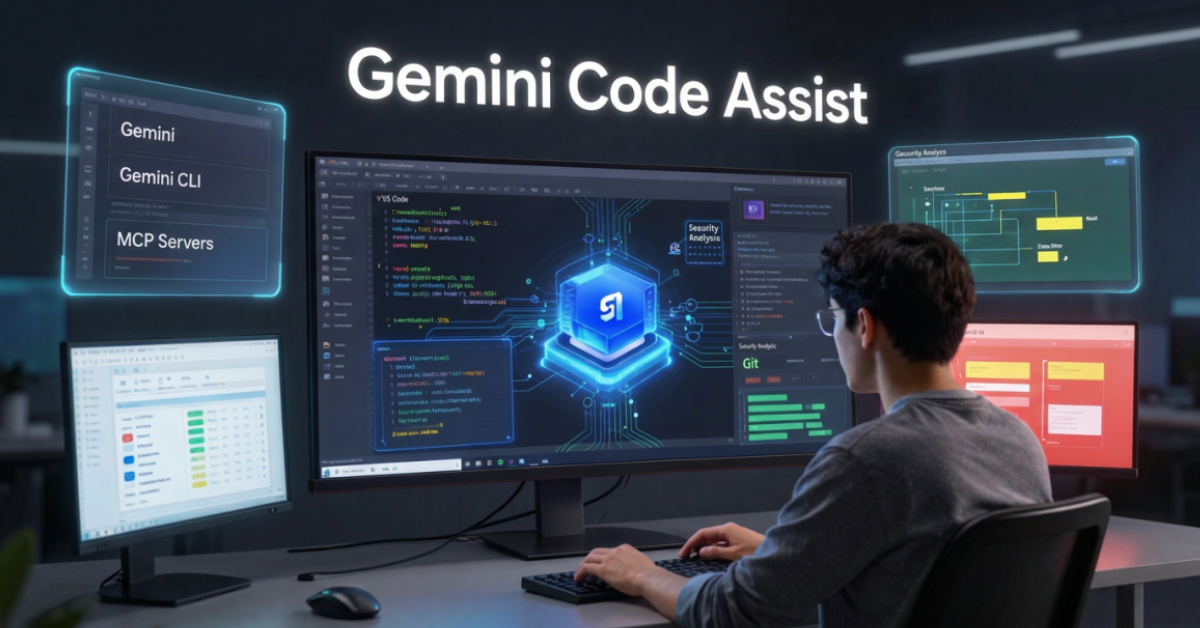
AI-powered coding tools have rapidly evolved from simple autocomplete assistants into intelligent development partners. Among the most important products in Google’s developer ecosystem is Gemini Code Assist, an AI coding assistant designed to help developers write, understand, debug, review, and maintain software more efficiently.
Whether you are building Angular applications, creating backend APIs, developing cloud infrastructure, or learning programming, Gemini Code Assist aims to reduce repetitive work and accelerate development.
In this guide, we’ll explore what Gemini Code Assist is, how it works, its pricing, major features, practical workflows, and whether it deserves a place in your development toolkit in 2026.
Table of Contents
What Is Gemini Code Assist?
Gemini Code Assist is Google’s AI-powered coding assistant built on Gemini models and integrated directly into developer workflows. It provides:
- Code completion
- Code generation
- AI chat inside IDEs
- Code explanations
- Debugging assistance
- Test generation
- Code reviews
- Terminal-based AI workflows
- Local codebase understanding
It is available as:
- Free Individual Edition
- Standard Edition
- Enterprise Edition
Google positions Gemini Code Assist as an AI assistant that supports developers throughout the software development lifecycle rather than only generating code snippets.
Why AI Coding Assistants Matter in 2026
Modern software projects are becoming increasingly complex.
Developers spend significant time on:
- Understanding legacy code
- Writing boilerplate code
- Debugging issues
- Creating tests
- Reviewing pull requests
- Learning unfamiliar frameworks
AI coding assistants reduce this overhead by providing contextual assistance directly inside development environments.
Instead of searching documentation, switching browser tabs, or repeatedly writing similar patterns, developers can interact with AI using natural language.
Key Features of Gemini Code Assist
1. Intelligent Code Completion
Gemini Code Assist can predict and generate code while you type.
Unlike traditional autocomplete systems, it understands:
- Project structure
- Context
- Existing code patterns
- Developer intent
This results in longer and more accurate code suggestions.
2. AI Chat Inside the IDE
Developers can ask questions such as:
- Explain this function
- Optimize this code
- Find bugs
- Generate unit tests
- Refactor this component
The assistant responds without requiring developers to leave their IDE.
3. Code Generation
Examples include:
- REST APIs
- Angular services
- React components
- SQL queries
- Test cases
- Documentation
Developers can describe requirements in natural language and receive working code as a starting point.
4. Smart Actions
Gemini Code Assist includes built-in shortcuts for common developer tasks such as:
- Explaining code
- Fixing errors
- Generating tests
- Refactoring functions
These actions reduce repetitive manual work.
5. Local Codebase Awareness
One of the most important improvements in modern AI coding assistants is understanding project context.
Gemini Code Assist can analyze local project structures and use repository context to provide more relevant suggestions. Google documents support for large context windows and extensive codebase awareness capabilities.
6. Agent Mode
Agent Mode allows Gemini to perform multi-step development tasks.
Examples include:
- Updating dependencies
- Refactoring multiple files
- Implementing features across modules
- Running workflows using tools and MCP servers
This moves beyond simple code generation toward agentic software development.
7. Gemini CLI Integration
Developers can use Gemini through terminal workflows.
This is particularly useful for:
- Backend development
- DevOps automation
- Infrastructure management
- Git workflows
- Command-line productivity
Gemini CLI and Gemini Code Assist share capabilities across development environments.
Supported IDEs and Platforms
Gemini Code Assist supports popular development environments including:
- VS Code
- JetBrains IDEs
- Android Studio
- Google Cloud environments
Google continues expanding integrations across its broader developer ecosystem.
How Gemini Code Assist Works
The workflow is straightforward:
Step 1
Install the Gemini Code Assist extension.
Step 2
Authenticate using a Google account.
Step 3
Open your project.
Step 4
Use:
- Inline suggestions
- Chat panel
- Smart actions
- Agent mode
Step 5
Review generated output before deployment.
Like any AI tool, generated code should always be validated before production use.
Gemini Code Assist Pricing
| Plan | Typical User |
|---|---|
| Individual | Students, hobbyists, solo developers |
| Standard | Professional developers |
| Enterprise | Large engineering teams |
Current published pricing includes:
| Edition | Monthly Price |
|---|---|
| Standard | $22.80/user/month |
| Standard Annual | $19/user/month |
| Enterprise | $54/user/month |
| Enterprise Annual | $45/user/month |
Google also provides a free version for individual developers.
Gemini Code Assist vs GitHub Copilot
| Feature | Gemini Code Assist | GitHub Copilot |
|---|---|---|
| Google Ecosystem Integration | Excellent | Limited |
| Cloud Development | Strong | Moderate |
| Gemini CLI Support | Yes | No direct equivalent |
| Free Individual Tier | Yes | Limited |
| Google Cloud Integration | Excellent | Limited |
| Enterprise Controls | Strong | Strong |
Choose Gemini Code Assist If:
- You use Google Cloud
- You use Gemini tools already
- You prefer Google’s AI ecosystem
- You want Gemini CLI integration
Choose GitHub Copilot If:
- Your workflow is GitHub-centric
- Your team is already invested in Microsoft tooling
Practical Developer Workflow Example
Imagine building an Angular application.
Traditional Workflow
- Search documentation
- Write component
- Create service
- Write tests
- Debug errors
- Create documentation
Gemini Workflow
- Ask Gemini to create component structure
- Generate service layer
- Generate unit tests
- Review code
- Fix issues with AI suggestions
- Create documentation
The result is faster implementation while maintaining developer control.
For Developers: Real Productivity Gains
Developers typically benefit from:
Faster Learning
Understand unfamiliar frameworks more quickly.
Better Debugging
Identify potential issues before deployment.
Reduced Boilerplate
Generate repetitive code instantly.
Improved Code Reviews
Catch issues earlier in development cycles.
Knowledge Assistance
Receive explanations without leaving the IDE.
For Designers and Frontend Developers
This is especially relevant for readers of AmitGuptaBlogs.com.
As someone working with:
- Angular
- Design Systems
- SCSS
- Component Libraries
You can use Gemini Code Assist to:
Generate Angular Components
Create starter components rapidly.
Create SCSS Utilities
Generate utility classes and token structures.
Build Design System Documentation
Automate documentation tasks.
Refactor Frontend Code
Improve maintainability of existing codebases.
Convert UI Concepts Into Code
Transform design requirements into implementation faster.
How I Would Use Gemini Code Assist
If I were managing a modern frontend project, my workflow would include:
- Planning features using Gemini.
- Generating initial component structure.
- Creating TypeScript interfaces.
- Producing unit tests.
- Reviewing code suggestions manually.
- Using Gemini CLI for terminal automation.
- Documenting completed features.
The key is treating AI as an accelerator rather than an autopilot.
Common Mistakes to Avoid
Blindly Accepting AI Code
Always review generated output.
Ignoring Security Implications
Validate authentication, authorization, and data handling logic.
Skipping Tests
AI-generated code still requires testing.
Overusing Generation
Architecture decisions should remain human-driven.
Trusting Explanations Without Verification
AI can occasionally provide incorrect information.
Pros and Cons
Pros
- Excellent Google ecosystem integration
- Strong IDE support
- Free individual tier
- Gemini CLI integration
- Agent mode capabilities
- Helpful code explanations
- Enterprise security features
Cons
- Requires validation of generated code
- Some advanced features require paid plans
- Enterprise features may be unnecessary for solo developers
- Quality varies depending on prompt quality
Future of Gemini Code Assist
The future direction is clear:
AI coding assistants are evolving from code completion tools into software engineering agents.
Future improvements will likely include:
- Better repository reasoning
- Multi-file autonomous changes
- Enhanced testing workflows
- Deeper cloud integrations
- Advanced development agents
- Greater support for software architecture tasks
As Google’s AI ecosystem expands, Gemini Code Assist will likely become increasingly integrated with:
- Gemini API
- Google AI Studio
- Gemini Enterprise Agent Platform
- Google Cloud AI services
This could make it one of the most complete developer productivity platforms available.
Final Verdict
Gemini Code Assist has matured into a serious AI development platform in 2026.
For developers already working within Google’s ecosystem, it offers a compelling combination of:
- AI-assisted coding
- IDE integration
- Agent workflows
- Terminal automation
- Cloud-native development support
It is not a replacement for software engineering skills. However, when used correctly, it can significantly improve productivity, reduce repetitive work, and help developers focus on solving higher-value problems.
For developers, frontend engineers, Angular specialists, designers who code, and technical creators, Gemini Code Assist is one of the most useful Google AI tools worth exploring today.
Key Takeaways
- Gemini Code Assist is Google’s AI coding assistant for developers.
- It offers code generation, debugging, chat, reviews, and test creation.
- Free, Standard, and Enterprise editions are available.
- Gemini CLI extends AI workflows into the terminal.
- Agent Mode enables multi-step development tasks.
- Strong Google Cloud integration is a major advantage.
- Best results come from using AI as a collaborator rather than a replacement.
FAQs
1. Is Gemini Code Assist free?
Yes. Google offers Gemini Code Assist for individual developers at no cost, alongside paid Standard and Enterprise editions.
2. Does Gemini Code Assist work with VS Code?
Yes. VS Code is one of the supported IDEs.
3. Can Gemini Code Assist generate entire applications?
It can generate significant portions of applications, but developers should still design architecture and validate implementation.
4. Is Gemini Code Assist better than GitHub Copilot?
It depends on your ecosystem. Google-focused developers may benefit more from Gemini Code Assist, while GitHub-centric teams may prefer Copilot.
5. Does Gemini Code Assist support Angular?
Yes. It can generate Angular components, services, TypeScript code, tests, and documentation.
6. What is Agent Mode?
Agent Mode enables Gemini to perform multi-step development tasks across files and tools instead of generating only isolated code snippets.
References
- Gemini Code Assist Official Site
- Gemini Code Assist Overview
- Gemini Code Assist Pricing
- Gemini Pricing
- Gemini CLI Introduction
- Gemini Code Assist FAQ