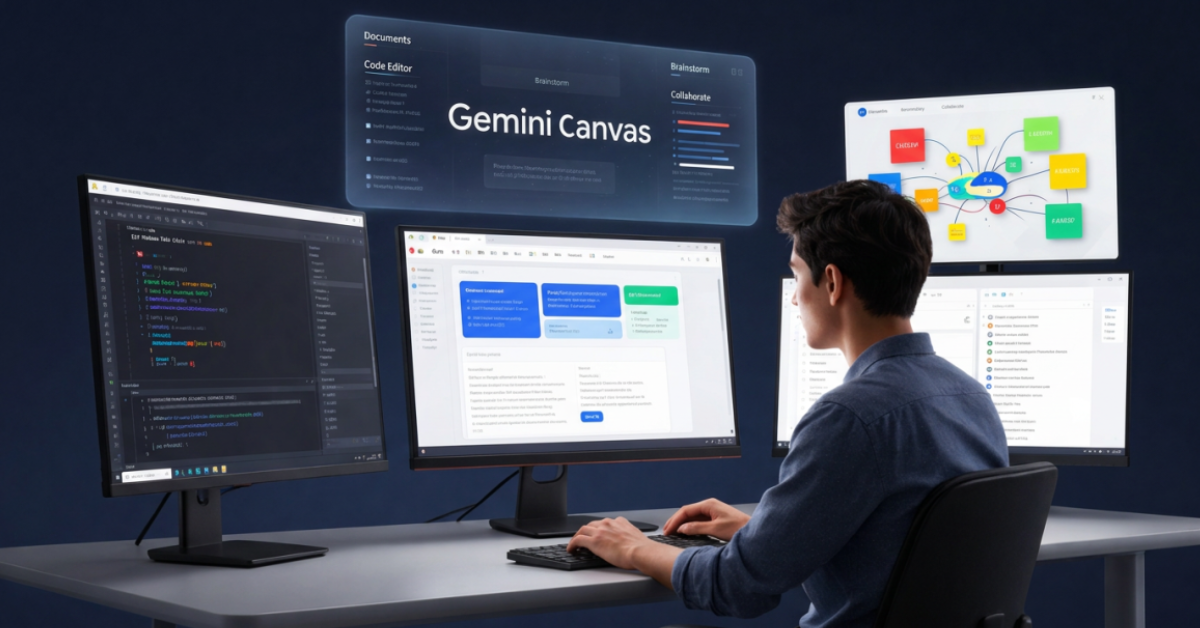
Artificial intelligence tools have evolved far beyond simple chat interfaces. In 2026, one of the most interesting additions to Google’s AI ecosystem is Gemini Canvas, an interactive workspace designed to help users write, edit, brainstorm, build applications, and collaborate with AI more effectively. Rather than limiting users to a chat window, Gemini Canvas provides a dedicated working environment where ideas can be developed, refined, and transformed into usable outputs.
For professionals, creators, developers, and students, Gemini Canvas represents a shift from asking questions to actually building things with AI.
Table of Contents
What Is Gemini Canvas?
Gemini Canvas is Google’s AI-powered workspace integrated into the Gemini experience. It allows users to create, edit, organize, and refine content in a dedicated workspace instead of repeatedly scrolling through chat conversations. The feature supports writing, brainstorming, outlining, document creation, and coding workflows.
Think of it as a digital whiteboard combined with an AI collaborator.
Instead of:
- Prompt
- Response
- Prompt
- Response
You get:
- Draft
- Edit
- Improve
- Expand
- Collaborate
- Export
all within a single workspace.
Why Google Introduced Gemini Canvas
Traditional AI chat interfaces are excellent for quick questions but become inefficient when working on larger projects.
Examples:
- Writing a 3,000-word article
- Creating a business proposal
- Building a web application
- Developing documentation
- Designing workflow processes
In these situations, users need a persistent workspace rather than a conversation thread.
Gemini Canvas solves this problem by giving users an environment where AI and human creativity work together continuously.
Key Features of Gemini Canvas
1. Dedicated Editing Workspace
Users can create long-form content and refine it without losing context.
Useful for:
- Blog articles
- Reports
- Research summaries
- Documentation
- Marketing content
2. AI-Powered Rewriting
Gemini can:
- Simplify text
- Expand ideas
- Change tone
- Improve readability
- Generate alternative versions
This is particularly useful for content creators and professionals.
3. Coding Assistance
Canvas supports software development workflows where developers can:
- Generate code
- Refactor code
- Debug issues
- Build prototypes
- Create applications from descriptions
Google is increasingly positioning Gemini as an AI development platform rather than only a chatbot.
4. Real-Time Iteration
Instead of generating multiple separate responses, users continuously improve a single project.
This creates a much smoother workflow.
5. Structured Content Creation
Canvas is useful for:
- Outlines
- Documentation
- Learning materials
- Training guides
- Knowledge bases
How Gemini Canvas Works
The process is straightforward:
Step 1
Create a new Canvas.
Step 2
Describe what you want.
Example:
Create a beginner guide explaining AI agents.
Step 3
Gemini generates the first draft.
Step 4
Highlight sections and request changes.
Examples:
- Make this simpler
- Add examples
- Improve clarity
- Rewrite for developers
- Convert into a tutorial
Step 5
Continue refining until the content meets your needs.
This feels much closer to collaborating with an editor than chatting with a chatbot.
Gemini Canvas for Writing
One of the strongest use cases for Gemini Canvas is long-form writing.
Blog Content
Writers can create:
- Articles
- Tutorials
- Reviews
- Guides
Business Content
Teams can create:
- Reports
- Proposals
- Meeting summaries
- Training documents
Educational Content
Students and educators can generate:
- Study notes
- Learning guides
- Lesson plans
- Research summaries
Practical Example
Suppose you’re writing:
“AI for UX Designers“
Instead of generating the entire article at once:
- Create an outline
- Expand sections
- Add examples
- Improve readability
- Finalize formatting
The result is usually higher quality and easier to manage.
Gemini Canvas for Coding
Google has been rapidly expanding Gemini’s coding capabilities. Recent model improvements focus heavily on software development, code generation, debugging, and agent-based workflows.
Gemini Canvas extends these capabilities into a more structured development environment.
Common Use Cases
Frontend Development
Generate:
- HTML
- CSS
- JavaScript
- Angular components
Application Prototypes
Create:
- Dashboards
- Landing pages
- Internal tools
Documentation
Generate:
- API documentation
- Technical guides
- Developer onboarding materials
Practical Workflow Example
Building a Landing Page
Prompt:
Create a landing page for an AI productivity platform.
Gemini can:
- Generate structure
- Write copy
- Create HTML
- Suggest styling
- Refine messaging
Instead of repeatedly copying responses from chat, everything remains organized in one workspace.
Gemini Canvas vs Traditional AI Chat
| Feature | Traditional AI Chat | Gemini Canvas |
|---|---|---|
| Long-form writing | Limited | Excellent |
| Project organization | Moderate | Strong |
| Editing workflow | Fragmented | Centralized |
| Coding projects | Good | Better |
| Collaboration | Limited | Stronger |
| Content refinement | Manual | Built-in |
The biggest difference is that Canvas treats work as an evolving project rather than a sequence of messages.
Benefits and Limitations
Benefits
Better Context Retention
Projects remain organized.
Faster Iteration
Editing is easier.
Improved Productivity
Less copying and pasting.
Better Content Quality
Multiple revisions become practical.
Strong Development Support
Useful for coding and technical documentation.
Limitations
Learning Curve
Users familiar only with chat interfaces may need time to adapt.
Not a Full IDE
Developers still need dedicated tools for production development.
AI Review Required
Generated output should always be reviewed before publishing.
For Developers
As someone with a frontend and UI background, I see Gemini Canvas as particularly useful during the early stages of software development.
How I Would Use It
- Feature planning
- User flow documentation
- Component specifications
- Angular scaffolding
- API documentation
- Design system documentation
Rather than replacing development tools, Canvas accelerates planning and prototyping.
For Designers
Designers often struggle with documentation and stakeholder communication.
Gemini Canvas can help create:
- UX case studies
- Product requirement summaries
- User journey explanations
- Design rationale documents
- Workshop materials
This reduces time spent on repetitive writing tasks.
For Creators
Content creators can use Gemini Canvas for:
- YouTube scripts
- Blog articles
- Podcast outlines
- Newsletter drafts
- Social media campaigns
The ability to revise content within a single workspace makes production much faster.
How Gemini Canvas Fits Into Google’s AI Ecosystem
One reason Gemini Canvas is important is that it complements other Google AI products.
Gemini
Canvas extends the Gemini experience by providing a dedicated workspace.
Google AI Studio
While AI Studio focuses on developers experimenting with models and prompts, Canvas focuses on productivity and creation.
Gemini API
Developers can prototype ideas in Canvas and later integrate Gemini capabilities into applications through the API.
NotebookLM
NotebookLM excels at source-grounded research, while Canvas excels at transforming ideas into polished outputs.
Gemini for Google Workspace
Canvas aligns naturally with Google’s broader productivity vision across Docs, Gmail, Sheets, and Slides.
Common Mistakes to Avoid
Treating Canvas Like Chat
Canvas works best as a project workspace.
Accepting First Drafts
Always revise and improve generated content.
Ignoring Structure
Create outlines before expanding content.
Skipping Fact Verification
AI-generated content should be reviewed for accuracy.
Over-Automating Creative Work
Use AI as a collaborator, not a replacement for expertise.
Future of Gemini Canvas
Google’s direction is increasingly focused on turning Gemini into an action-oriented productivity platform capable of supporting research, development, business workflows, and content creation. Recent announcements around agentic AI and intelligent workspaces suggest Canvas will become an increasingly important part of the Gemini ecosystem.
We can expect:
- Deeper Google Workspace integration
- Better coding assistance
- More collaborative features
- Richer visual editing capabilities
- Stronger AI agents operating within projects
Final Thoughts
Gemini Canvas represents an important evolution in how people interact with AI. Instead of treating AI as a question-answer system, Google is positioning it as a collaborative workspace where ideas, documents, code, and projects can be developed from start to finish.
For developers, designers, creators, and business users, Gemini Canvas offers a more practical way to work with AI. As Google’s AI ecosystem continues to expand, Canvas is likely to become a central productivity layer connecting Gemini, Google Workspace, AI Studio, and future AI-powered workflows.
For anyone already using Gemini, exploring Gemini Canvas is one of the easiest ways to move beyond simple prompting and begin building real projects with AI.
Key Takeaways
- Gemini Canvas is Google’s AI-powered workspace for creating and refining content.
- It provides a dedicated environment for writing, coding, and brainstorming.
- Canvas is more project-focused than traditional AI chat interfaces.
- Developers can use it for prototyping, documentation, and coding workflows.
- Designers can create UX documentation and stakeholder materials faster.
- Creators can streamline content production and editing.
- It complements tools such as Gemini, Google AI Studio, Gemini API, and NotebookLM.
- Canvas reflects Google’s broader vision of AI-powered productivity and agentic workflows.
FAQs
1. What is Gemini Canvas?
Gemini Canvas is an AI-powered workspace within Google’s Gemini ecosystem that helps users create, edit, organize, and refine documents, code, and projects.
2. Is Gemini Canvas free?
Availability depends on Google’s current Gemini plans and feature rollout. Some advanced capabilities may require premium subscriptions.
3. Can Gemini Canvas write code?
Yes. Gemini Canvas supports code generation, debugging assistance, prototyping, and documentation workflows.
4. Is Gemini Canvas better than traditional AI chat?
For larger projects, many users will find Canvas more efficient because it provides a structured workspace rather than isolated conversations.
5. How does Gemini Canvas differ from NotebookLM?
NotebookLM focuses on source-based research and knowledge synthesis, while Canvas focuses on creating and refining outputs such as documents and code.
6. Can content from Gemini Canvas be exported?
Yes. The workspace is designed to support practical creation workflows that can be used beyond the Gemini environment.
References
- Google Gemini
- Gemini About Page
- Google Gemini News
- Google AI Studio
- Gemini Models
- The Verge – Gemini Canvas Expansion
- Times of India – Gemini Canvas in Search
Author Bio

Amit Gupta is a UI/UX Designer and Frontend Specialist with more than 20 years of experience in product design, design systems, Angular development, frontend architecture, and emerging technologies. Through AmitGuptaBlogs.com, he shares practical insights on AI, Google technologies, design workflows, development tools, and future technology trends.