
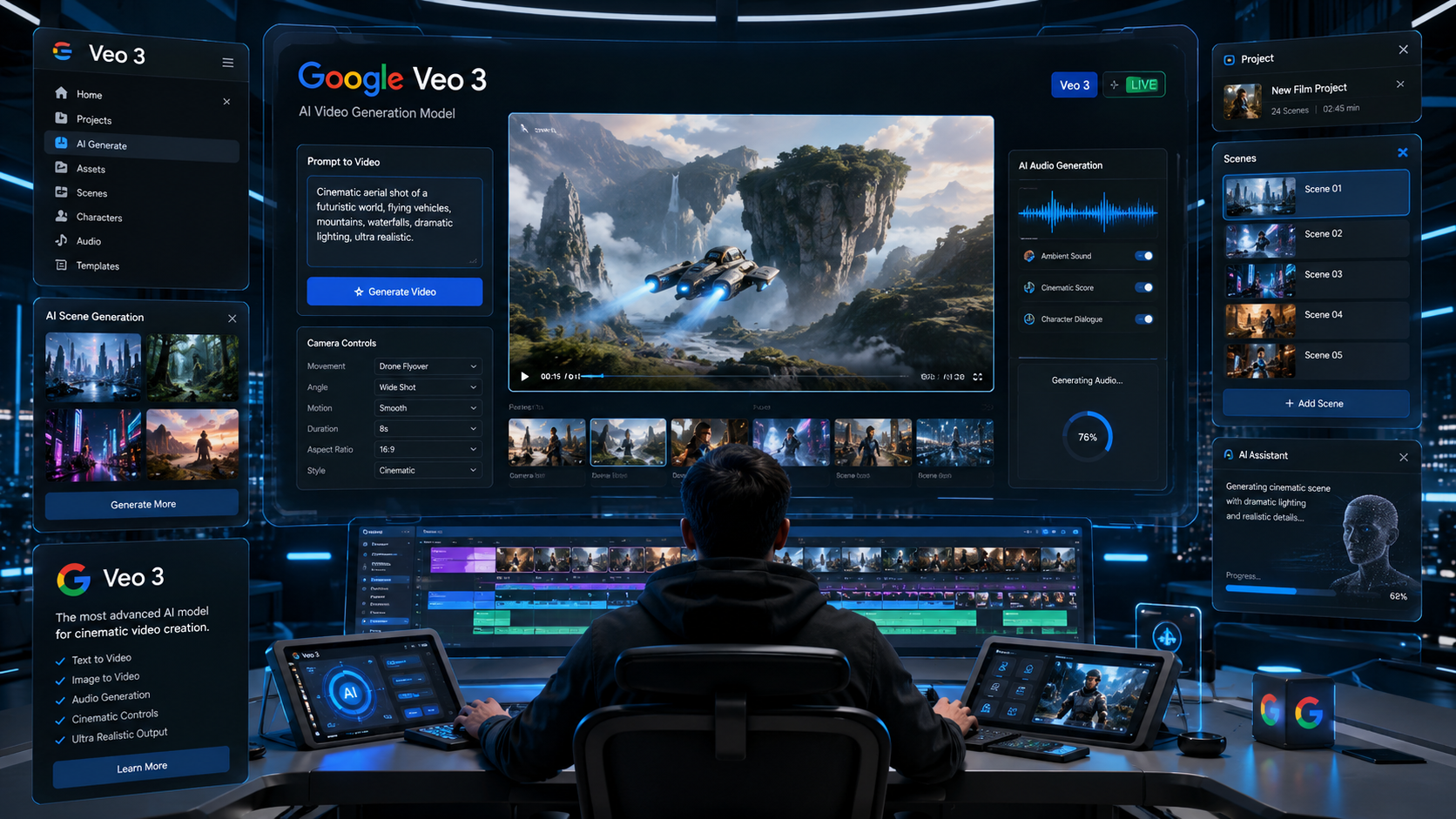
Artificial intelligence is rapidly transforming video production, and Google Veo has emerged as one of the most advanced AI video generation models available today. What once required expensive cameras, production teams, editors, visual effects artists, and recording equipment can now be created through simple text prompts and AI-powered workflows.
With the introduction of Veo 3 and its integration into Google’s growing AI ecosystem, creators, marketers, filmmakers, designers, educators, and businesses can generate cinematic-quality videos directly from natural language instructions.
In this Google Veo Guide 2026, we will explore what Google Veo is, how it works, its key features, Veo 3 capabilities, integration with Flow, pricing options, practical use cases, limitations, and what the future holds for AI-powered filmmaking.
Table of Contents
What Is Google Veo?
Google Veo is Google’s state-of-the-art AI video generation model developed by Google DeepMind. It enables users to generate realistic videos from text prompts, image prompts, and creative instructions.
Unlike earlier AI video generators that produced short clips with limited control, Veo focuses on:
- High-quality cinematic visuals
- Consistent character motion
- Realistic physics
- Advanced camera controls
- Longer video generation
- Native audio generation
- Professional storytelling workflows
Google positions Veo as a next-generation creative tool designed for creators, filmmakers, marketers, educators, and businesses.
Evolution of Google Veo
Veo 1
The first generation demonstrated Google’s capability to generate realistic video sequences from prompts.
Key improvements included:
- Better motion consistency
- Improved scene understanding
- Higher visual quality
- Cinematic compositions
Veo 2
The second generation significantly improved:
- Character consistency
- Physics simulation
- Prompt accuracy
- Camera movement control
Veo 3
Veo 3 represents a major leap forward.
Notable advancements include:
- Native audio generation
- Dialogue creation
- Environmental sound effects
- Music generation
- Enhanced realism
- Improved temporal consistency
- Better cinematic storytelling
Veo 3 brings AI video generation closer than ever to professional filmmaking workflows.
Key Features of Google Veo
Text-to-Video Generation
Users can describe a scene in natural language.
Example:
“Create a cinematic drone shot of a futuristic city at sunrise with flying vehicles moving between skyscrapers.”
Veo transforms this prompt into a fully animated video sequence.
Image-to-Video Generation
Creators can upload images and animate them using AI.
This capability helps:
- Designers
- Advertisers
- Content creators
- Marketing teams
transform static visuals into engaging motion content.
Advanced Camera Controls
One of Veo’s most impressive features is camera direction.
Users can specify:
- Zoom
- Pan
- Tilt
- Dolly
- Tracking shots
- Aerial shots
- Cinematic transitions
This gives creators greater artistic control.
Native Audio Generation
Veo 3 introduced integrated audio generation.
AI can create:
- Ambient sounds
- Character voices
- Sound effects
- Environmental audio
- Background music
This reduces dependence on external audio tools.
Realistic Physics
Modern AI video systems often struggle with object movement.
Google Veo significantly improves:
- Human motion
- Animal movement
- Environmental interactions
- Object behavior
making generated videos feel more natural.
Google Veo and Flow
Google Veo works closely with Flow, Google’s AI filmmaking platform.
While Veo acts as the video generation engine, Flow provides the creative production environment.
Together they allow creators to:
- Generate scenes
- Build narratives
- Organize shots
- Edit sequences
- Control camera movement
- Refine storytelling
Think of Veo as the engine and Flow as the creative studio built around it.
For a broader ecosystem overview, see our Google AI Video Creation Platform Guide 2026.
How Google Veo Works
Step 1: Create a Prompt
Describe:
- Scene
- Environment
- Characters
- Camera movement
- Mood
- Lighting
The more detailed the prompt, the better the result.
Step 2: Generate Video
Veo interprets:
- Visual context
- Motion requirements
- Storytelling cues
- Audio instructions
and creates a video sequence.
Step 3: Refine Output
Creators can:
- Adjust prompts
- Modify scenes
- Change camera angles
- Improve pacing
- Regenerate clips
Step 4: Export Content
Finished videos can be exported for:
- Social media
- Marketing campaigns
- Presentations
- Educational content
- Creative projects
Best Prompting Practices for Veo
Be Specific
Instead of:
“A city street”
Use:
“A rainy cyberpunk city street at night illuminated by neon signs with pedestrians carrying umbrellas and cinematic reflections on wet pavement.”
Define Camera Motion
Include instructions such as:
- Slow zoom in
- Drone shot
- Tracking shot
- Wide-angle cinematic view
Specify Lighting
Examples:
- Golden hour
- Sunset lighting
- Studio lighting
- Dramatic cinematic lighting
Mention Style
Examples:
- Documentary
- Sci-fi
- Fantasy
- Realistic
- Animation
- Film noir
Detailed prompts generally produce stronger results.
Who Should Use Google Veo?
Content Creators
Content creators can generate:
- YouTube content
- Reels
- Shorts
- Visual storytelling
Marketers
Marketers can use Veo to create:
- Product videos
- Promotional campaigns
- Advertising assets
Filmmakers
Filmmakers can use Veo for:
- Storyboarding
- Concept visualization
- Scene prototyping
Designers
Veo can help designers to produce:
- Motion concepts
- Visual demonstrations
- Interactive presentations
Educators
Educators can explore Veo to create:
- Learning materials
- Simulations
- Visual explanations
Google Veo vs Other AI Video Tools
Veo vs Sora
Veo emphasizes:
- Integrated audio
- Camera controls
- Creative workflows
Sora focuses heavily on:
- Visual realism
- Scene generation quality
Veo vs Runway
Runway offers mature creator workflows and editing features.
Veo benefits from deep integration within Google’s AI ecosystem.
Veo vs Pika
Pika remains popular for quick content creation.
Veo targets higher-end cinematic production.
Current Limitations
Despite impressive progress, Veo still faces challenges.
Long Narrative Consistency
Maintaining identical characters across extended scenes remains difficult.
Complex Multi-Character Interactions
Certain interactions may still appear unnatural.
Fine-Grained Editing
Professional editors may still require traditional post-production software.
Generation Costs
High-quality video generation demands significant computing resources.
Future of Google Veo
The future roadmap may include:
- Longer videos
- Better character persistence
- Real-time generation
- Interactive storytelling
- Advanced editing controls
- Enterprise workflows
- Deeper Gemini integration
As AI models continue evolving, Veo could become a core tool for digital content production.
How Veo Fits Into Google’s AI Ecosystem
Google is building a comprehensive AI ecosystem that includes:
- Gemini
- Google AI Studio
- Gemini API
- Google AI Ultra
- Flow
- Veo
Together these tools enable users to:
- Generate ideas
- Create scripts
- Produce visuals
- Generate videos
- Build AI-powered applications
This interconnected ecosystem gives Google a unique advantage in the AI creator economy.
Final Thoughts
Google Veo represents one of the most significant advancements in AI-powered video generation. By combining cinematic-quality visuals, realistic motion, advanced camera controls, and native audio generation, Veo is helping creators produce professional video content faster than ever before.
For creators, marketers, designers, educators, and filmmakers, understanding Google Veo in 2026 is becoming increasingly important as AI-driven content production moves into the mainstream.
While traditional filmmaking skills remain valuable, tools like Veo are reshaping how visual stories are created. As Google’s AI ecosystem continues expanding, Veo is likely to become one of the most influential creative technologies of the decade.
References
- Google DeepMind Veo Official Model Page
- Google AI Studio Veo 3.1 Model Page
- Google Flow Official Page
- Google Blog: Meet Flow — AI-powered filmmaking with Veo 3
- Google Blog: Introducing Veo 3.1 and Advanced Capabilities in Flow
- Google AI Plans Official Page
- Google Flow Credits Help Page
Author Bio

Amit Gupta is a UI/UX Designer and Frontend Specialist with more than 20 years of experience in product design, design systems, Angular development, frontend architecture, and emerging technologies. Through AmitGuptaBlogs.com, he shares practical insights on AI, Google technologies, design workflows, development tools, and future technology trends.